Develop your own chat
The platform is fully accessible via API routes that you can use to develop your own chat application.
API Key
On the platform interface, you can access your account management area and create an API key.
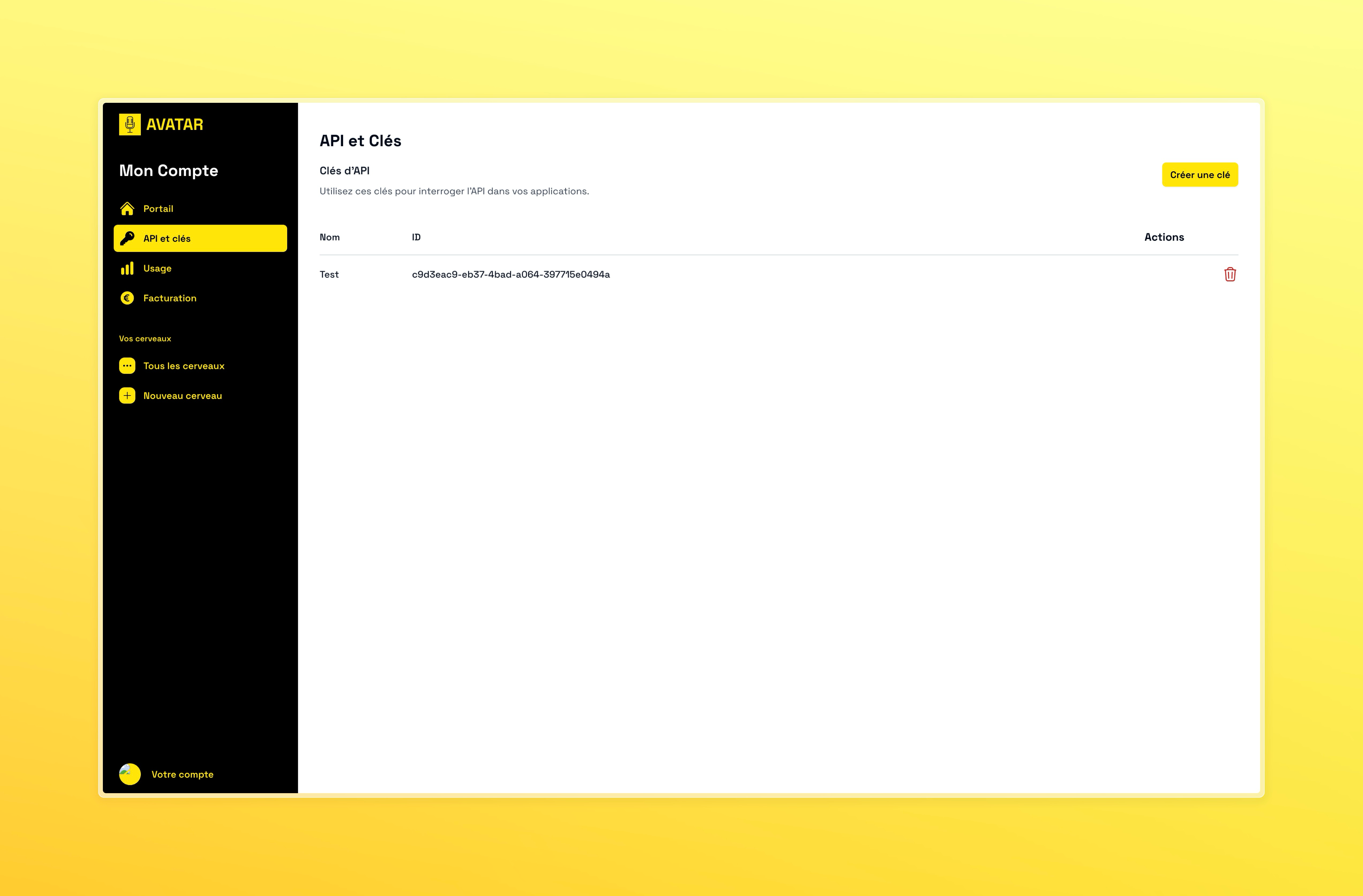
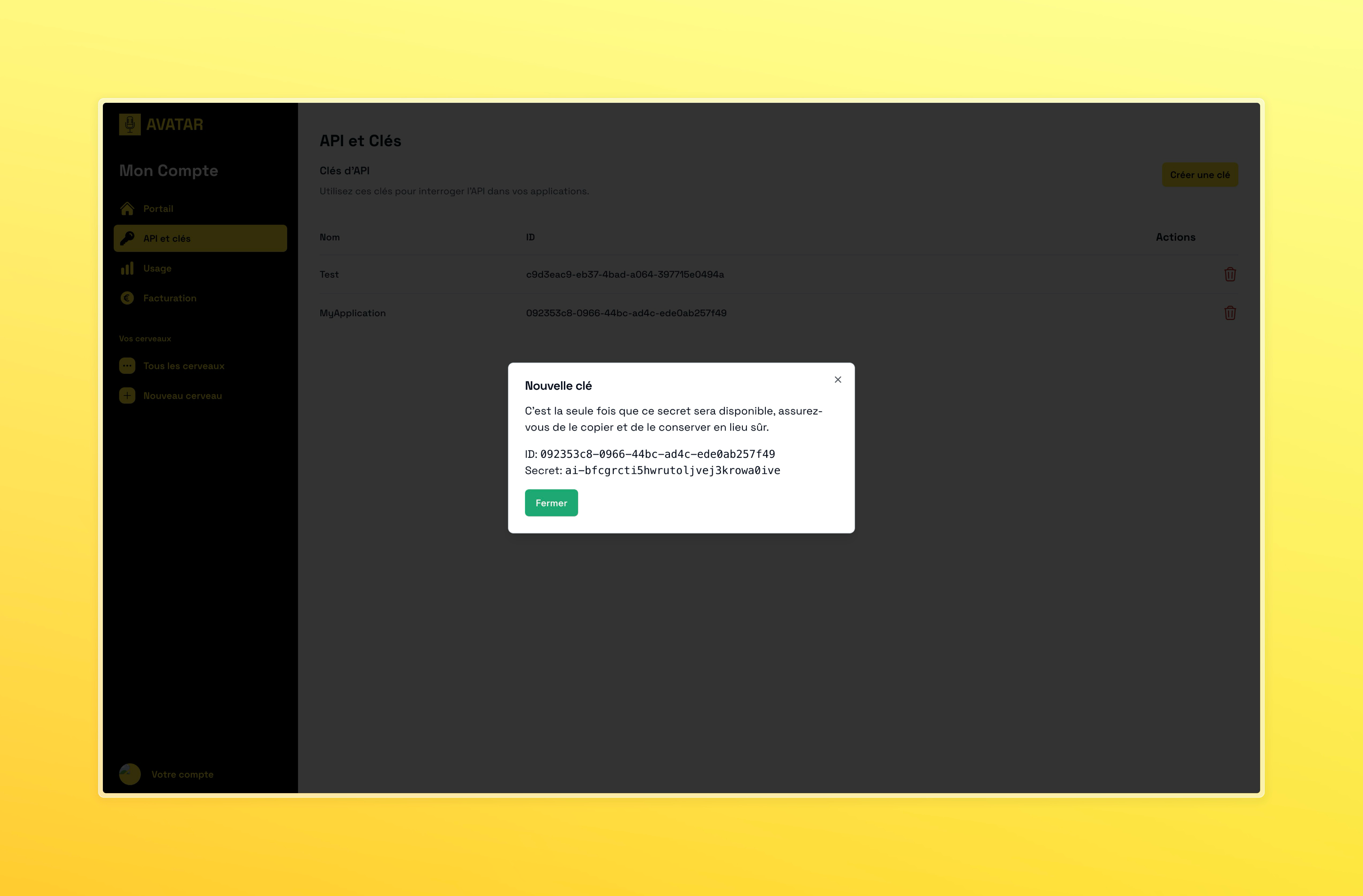
This API key will be used for all your calls to the avatar platform.
This API key gives access to all the features of the platform. Do not share it.
Similarly, this API key should not be included in your chat interface to prevent it from leaking.
We recommend storing this API key on a server with which your chat interface communicates.
You can use NextJS or an equivalent to quickly develop an application with both a front-end and a back-end to store the API key.
Main Routes
Start a new conversation with the following route:
- CURL
- Javascript
curl --location 'https://brain-api.intech.app/brains/{brainId}/prompts' \
--header 'Content-Type: application/json' \
--header 'x-api-key: {API key}' \
--data '{
  "message": "What can you tell me about phone plans?",
  "lang": "en"
}'
const conversation = await fetch('https://brain-api.intech.app/brains/{brainId}/prompts', {
  method: 'POST',
  headers: {
    'Content-Type': 'application/json'
    'x-api-key': '{API key}'
  },
  body: JSON.stringify({
    "message": "What can you tell me about phone plans?",
    "lang": "en"
  })
}).then(res => res.json());

console.log(conversation.messages);
Specify the language of the conversation with the lang parameter. Make sure the language is supported and enabled by your Brain.
Continue a conversation with the following route:
- CURL
- Javascript
curl --location 'https://brain-api.intech.app/conversations/{conversationId}/prompts' \
--header 'Content-Type: application/json' \
--header 'x-api-key: {API key}' \
--data '{
  "message": "Which one would be the most suitable for me?"
}'
const conversation = await fetch('https://brain-api.intech.app/conversations/{conversationId}/prompts', {
  method: 'POST',
  headers: {
    'Content-Type': 'application/json'
    'x-api-key': '{API key}'
  },
  body: JSON.stringify({
    "message": "Which one would be the most suitable for me?"
  })
}).then(res => res.json());

console.log(conversation.messages);
Make sure to keep the conversation ID in your application to be able to continue the conversation.
We recommend keeping a history of your conversations on your server to avoid querying the API too often and reduce your response times.
Conversation History
To retrieve the messages of a conversation, you can use the following route:
- CURL
- Javascript
curl --location "https://brain-api.intech.app/conversations/{conversationId}" \
--header "Content-Type: application/json" \
--header "x-api-key: 'API key'"
const conversation = await fetch('https://brain-api.intech.app/conversations/{conversationId}', {
'headers': {
'Content-Type': 'application/json'
'x-api-key': '{API key}'
},
}).then(res => res.json());

console.log(conversation.messages);
Your application/server should keep the list of your users' conversations if you want to manage a history.