Knowledge
Add knowledge
Limited knowledge
If you have some short knowledge to add to your avatar, you can directly input them into the "Ajouter de la connaissance" input field. Write your text inside and click "Ajouter la connaissance". By default, what you type will be split into chunks of around 1000 characters. Try to keep your knowledge entries short and precise to improve the results.
Large knowledge base
If you have a lot of knowledge to import, we recommend that you follow this tutorial to maximise the efficiency of your avatar.
- Divide your knowledge into text files (markdown .md or text .txt) with global subjects. This will help you to keep track of what you have already imported and to easily find the knowledge you are looking for.
- Import these files one by one using the "Importer un fichier" option.
Our knowledge import tool will automatically split your files into chunks of small size. However this split may remove some important context information from chunks isolated from each other. While we work on improving the splitting and import, you can improve the quality of your knowledge by following these guidelines:
- Create a sheet with the following columns:
Title,Content. - Formulate the main questions your avatar should be able to answer and put them in
Titlewith some information for answer inContent(you can also directly write an answer to the question). - Add other information using
TitleandContentcolumns. Try to keep a reasonable length for each pair. Ideally, yourcontentshould not exceed 1500 characters. - Export this sheet as a csv and import in via the "Importer un fichier" option.
Images and actions
You can include images in your knowledge by adding a link to your image. This link must be a public link.
We recommend you format your images using markdown syntax. For example, to include an image in your knowledge, write
something like .
You can also include actions in your knowledge. Actions are commands that your avatar can execute. To include an action,
write it using its code [[ACTION.PLAY_ANIMATION.ANIMATION_ID]]. Only use actions that you are included in your avatar
build.
Search knowledge
You can search the knowledge accessible by your avatar with the "Explorer les connaissances du module" search bar. Input some search text and press "Rechercher".
A list of documents chunks that seems to match your query will appear with the associated confidence score.
Your avatar is configured to only select knowledge that has a confidence score above a certain threshold. You can change this threshold by updating the "Score minimal" field in the "Configuration" section.
Monitor knowledge usage
In the "Conversation" tab, you can explore all conversations and interactions with your avatar.
When a user asks something to your avatar, the brain will decide if they need some information to answer the question and will perform a search in the knowledge base.
You can see what information the brain tried to retrieve and was results they got.
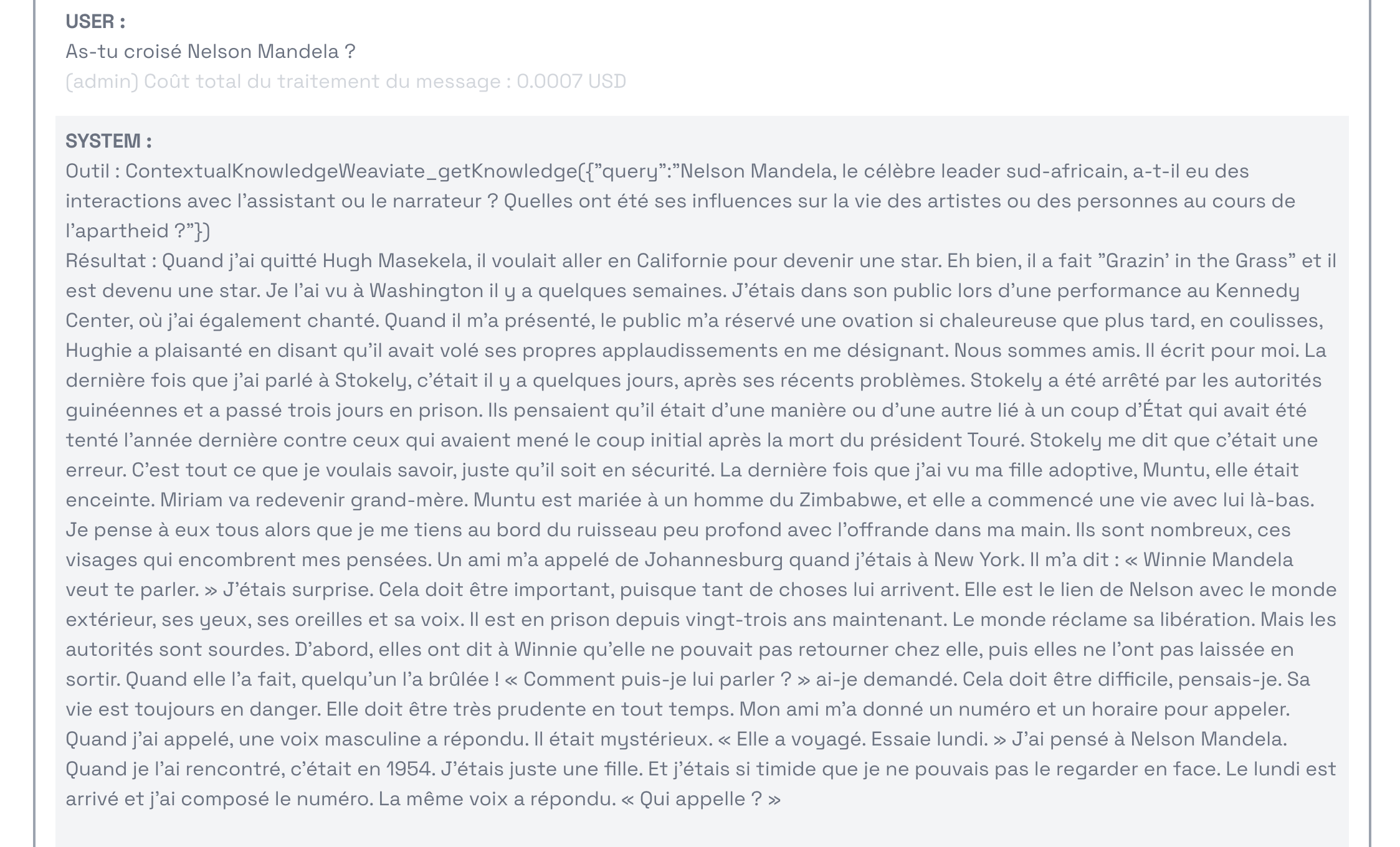
- In
query, you can see the text that the brain used to search in the knowledge base. - In
results, you can see the various documents chunks that were found related to the query.
After the results and other tools called, you can read the final answer the brain crafted for your avatar, as well as suggestions they generated to help the user continue to chat.
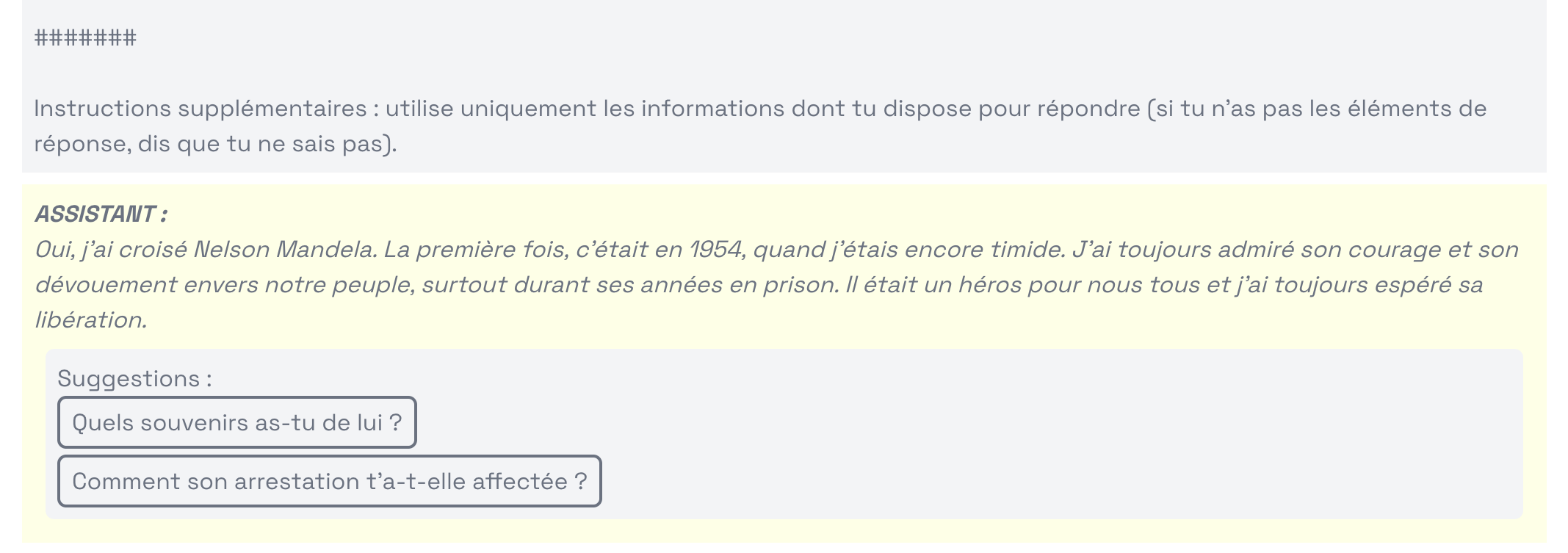
If you don't see satisfying results, you can try to search yourself in the knowledge base by entering the query inside the search bar.

- If the result you would like the brain to get appear in the list, verify the confidence score. If it's too low consider decreasing the "Score minimal" configuration option below the confidence score of the desired chunks.
- You can also increase the confidence score of a chunks by adding more precise details to it, like more synonyms.
- If you don't see any result appropriate in the list, this may be because you didn't include any information related to this question in your knowledge base. You can add more knowledge to your avatar by following the "Add knowledge" steps.
- If you know there is the information somewhere in your knowledge base, it may be worth to reformulate it or to duplicate it in other words.
Configuration
Recommended default configuration
Nous recommandons de configurer Weaviate avec les paramètres suivants :
Consigne d'ignorance :
Tu ne dispose d'aucune information à ce sujet, réponds que tu ne sais pas.
Instructions supplémentaires :
Instructions supplémentaires : utilise uniquement les informations dont tu dispose ici pour répondre (si tu n'as pas les éléments de réponse, dis que tu ne sais pas).
Description de l'outil :
récupère des connaissances à partir d'un texte de query à rechercher (utilise le à chaque fois systématiquement). Use it when you are asked anything (your tastes or preferences, your story, your life, your goals and thoughts...)
Description des paramètres de l'outil
termes à rechercher (en français), avec plusieurs phrases reformulées (utilise des synonymes)
Algorithme de fusion :
rankedFusion
Score minimal :
0,016
Nombre maximal de documents :
8