Operator Remote
The operator remote allow a user allowed to access the brain to perform direct actions over the avatar agent.
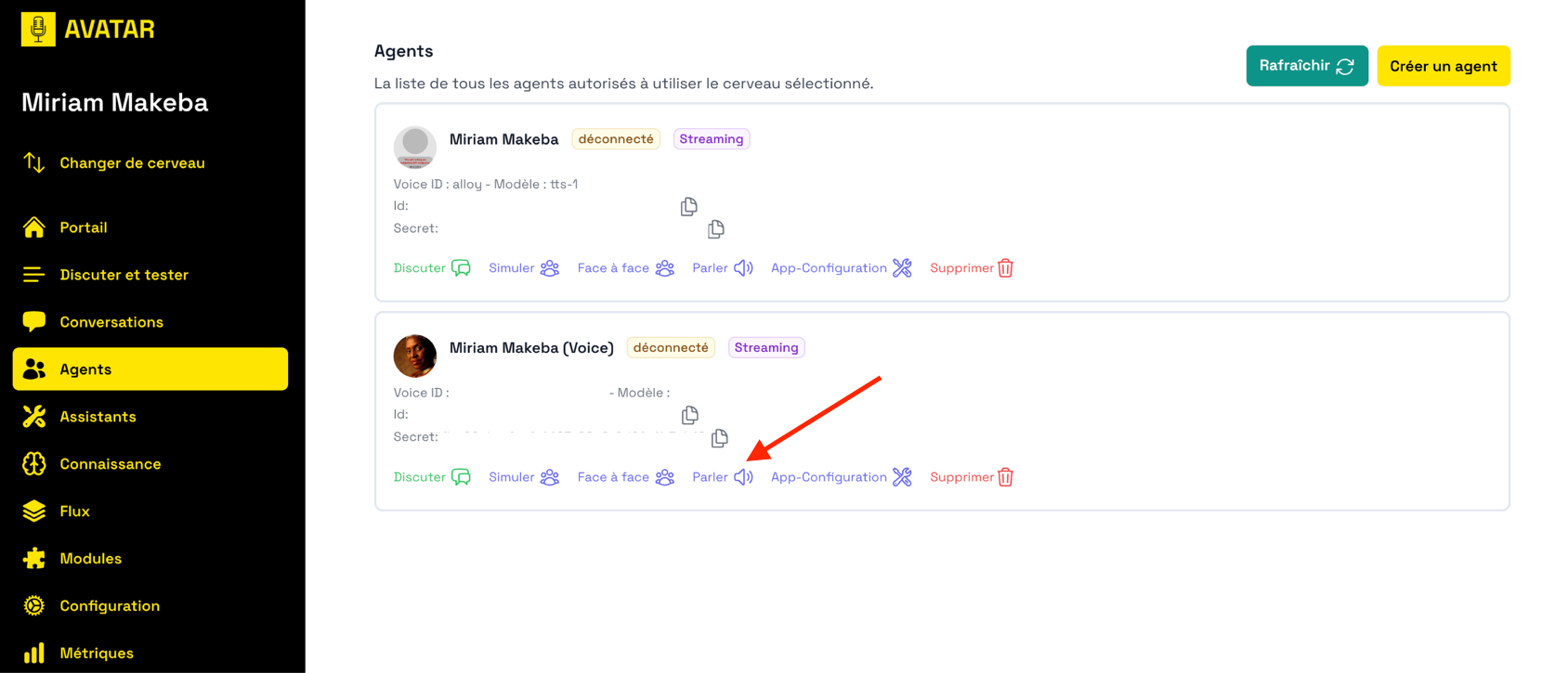
To access the operator remote from the list of agents, click on the "Parler" button of the agent you want to operate.
To know which agent is currently used by your Unreal Engine display, press the "d" key to activate debug HUD, the name of the connected agent is displayed in the top right corner of the screen.
Using the remote
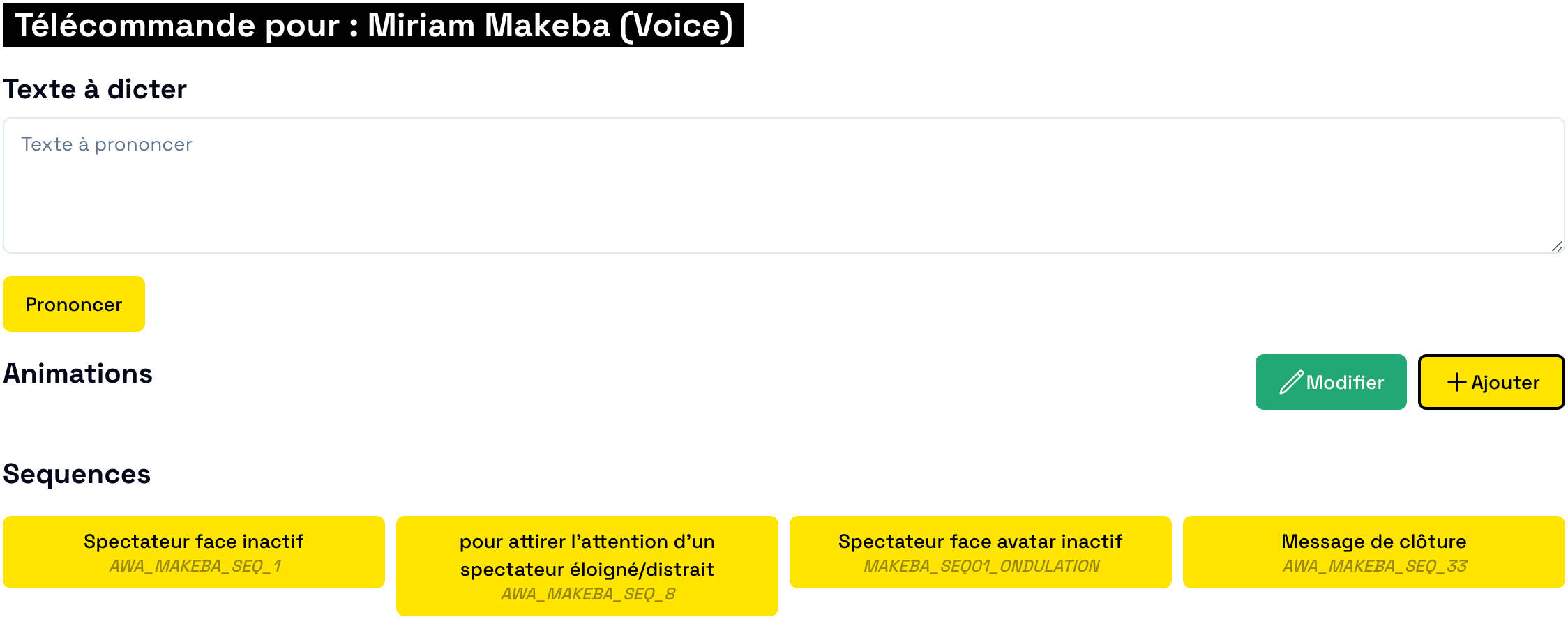
The main feature of the Operator Remote is the ability to make your avatar do or say something.
Write something in the "Texte à Dicter" input field and press the "Prononcer" button to send the text to the avatar. You avatar will say your input with their own voice!
Note that you can also use specific format codes in this input field to make the avatar perform specific actions:
- Show an image : use the following format in your text
. The image link must be a public link. - Perform an emote : use this code in your text
[[ACTION.PLAY_ANIMATION.ANIMATION_ID]]. ANIMATION_ID must be an animation available to your avatar build.
You can save presets of your input texts that will appear in the "Sequences" list. Click one of these preset to make your avatar perform it (saying something and/or performing actions).